

Limited Time Free
Free Online Watermark Remover Remove Sora Video Watermark in One Click
BoomCut Erase Video Watermarks Easily and quickly, our AI Subtitle Eraser thoroughly removes Sora video watermarks with zero loss of video quality
Once uploaded, select the watermark removal area
Powered by BoomCut
How to Remove Sora Video Watermarks?
Step 1
Upload your video
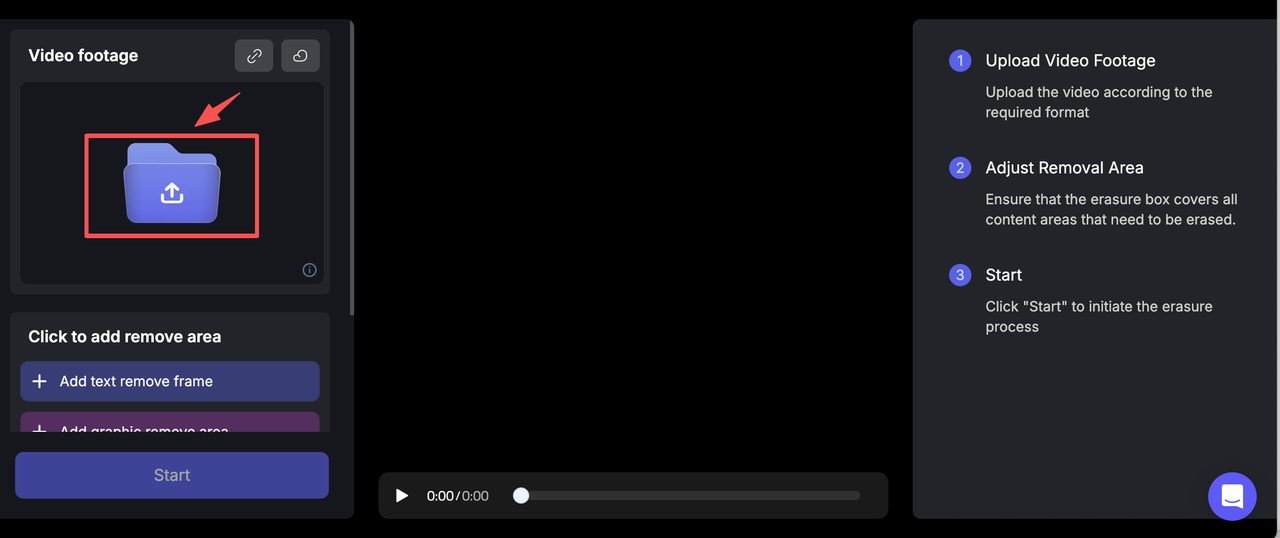
Step 2
Select the removal area
If there are no video subtitles that need to be retained, you can select the entire video in full screen
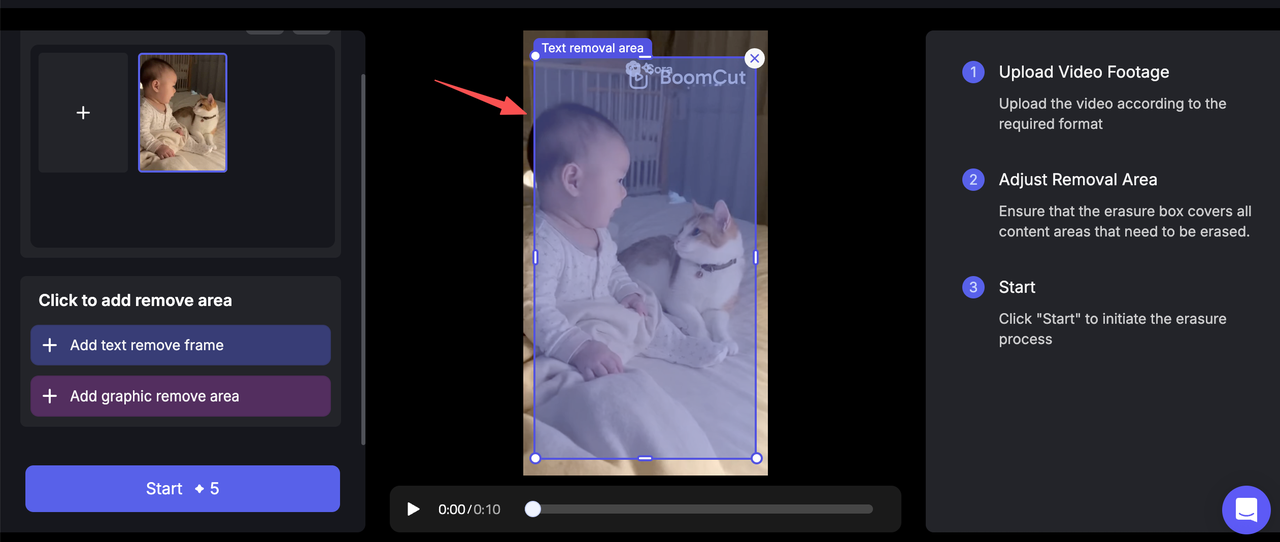
Step 3
Click to start
start removing watermarks in just seconds
Get Started* Generation requires credits

Why choose BoomCut to remove Sora Video Watermark?
BoomCut provides a professional, efficient, and high-quality solution for removing Sora video watermarks. It precisely identifies and completely clears text from your videos, ensuring a professional look and guaranteeing optimal results for your content localization and repurpose
HD and accurate
BoomCut is a powerful AI tool that can find any watermark, like text or a logo, on your Sora videos and wipe it away fast. It's smart enough to rebuild the missing part of the video so the spot where the watermark was looks totally natural.It's the best way to make your videos look clean and professional!
Batch mode
If you are a BoomCut Pro user, you get to use 'Batch Mode'! That means you can upload and clean the watermarks from tons of your Sora videos all at once. This saves you so much time and makes it super fast to share your awesome videos everywhere!
No loss of clarity
When BoomCut removes a watermark, it promises the video will stay crystal clear! Your Sora video will keep its original quality and perfect picture.
If your video is HD or super-clear 4K, the finished file will look exactly the same—no fuzzy spots!
FAQ
Can I use BoomCut to remove the dynamic watermark on Sora videos?

Yes!We are like a magic button to automatically erase all texts and watermarks from your videos. For those moving watermarks on Sora videos, you can draw a big box over the whole screen, and we will clean them up!
Will the video become blurry after removing the watermark?
Absolutely not. Unlike traditional editing software (like PR or CapCut) that just blurs or covers the watermark, BoomCut uses advanced AI to intelligently redraw the marked area at the pixel level. This completely eliminates all traces, meaning your Sora video will look totally natural and clean, as if the watermark was never there.
Do I have to pay money to remove the Sora watermark?
Everyone can try it for free online! When you sign up for BoomCut, we give you free credits so you can test it out. And when you go Pro, you get unlimited use of the tool—no limits at all!
Does this tool support all Sora video formats?
Yes, it works on ALL Sora videos! Sora videos use standard file types—like the MP4 and MOV you see everywhere. Our tool can handle them perfectly.
Can I remove watermarks from other AI videos, too?
Yes, we can remove the watermarks from all other AI videos, not just Sora!
Can Sora videos be used for commercial purposes?
Before you use any Sora video for your business, you must always follow the official terms and guidelines from OpenAI.
